Print Blank Checks
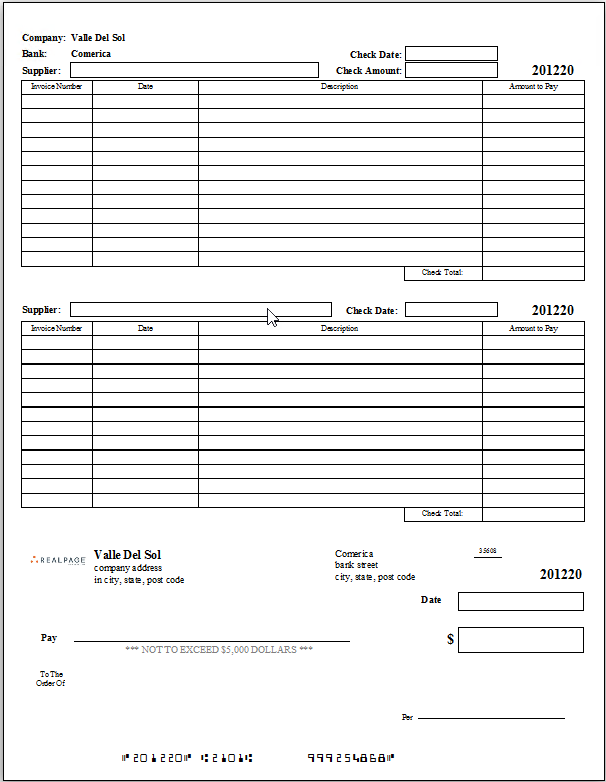
Blank MICR checks may be printed to enable the issuing of checks offsite. These may later be recorded through the Handwritten Checks menu item by entering the check number of the blank check that you wish to record.
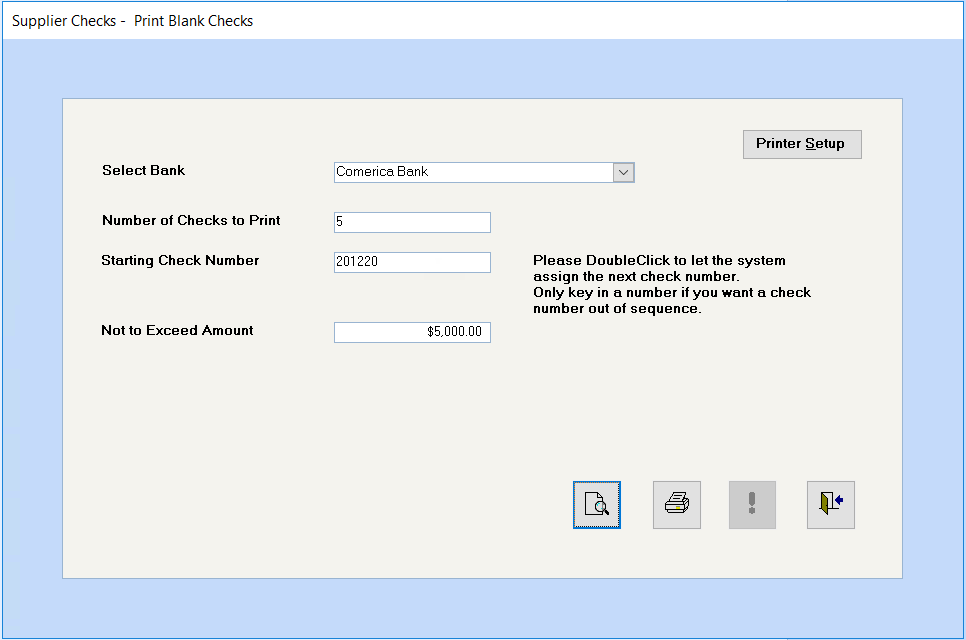
Select the bank for these blank checks.
Enter the number of blank checks required.
Double click in the field to let the system assign the next check number. Note: You should Only key in a number if you want a check number out of sequence.
You may use this optional field if you wish the phrase "NOT TO EXCEED $xxx DOLLARS" to print on the check. If no amount is specified, this phrase will not print on the check at all.
If you normally have to adjust your printer settings, click on this button now.
Click on the Preview button to preview and print the blank checks or click on the Print button to send the blank checks directly to the printer.
Click on this button once to add these check numbers to the check register as blank checks.
Click on the Close Window button to return to the menu.