Change Invoice Due Date
You may use this program to change three fields for unpaid invoices, namely Projected Pay Date, Invoice Date, or the Discount type. However, the primary use will be to change the Invoice Due Date. Changing the Due Date will affect the selection results in the Select Invoices to Pay program.
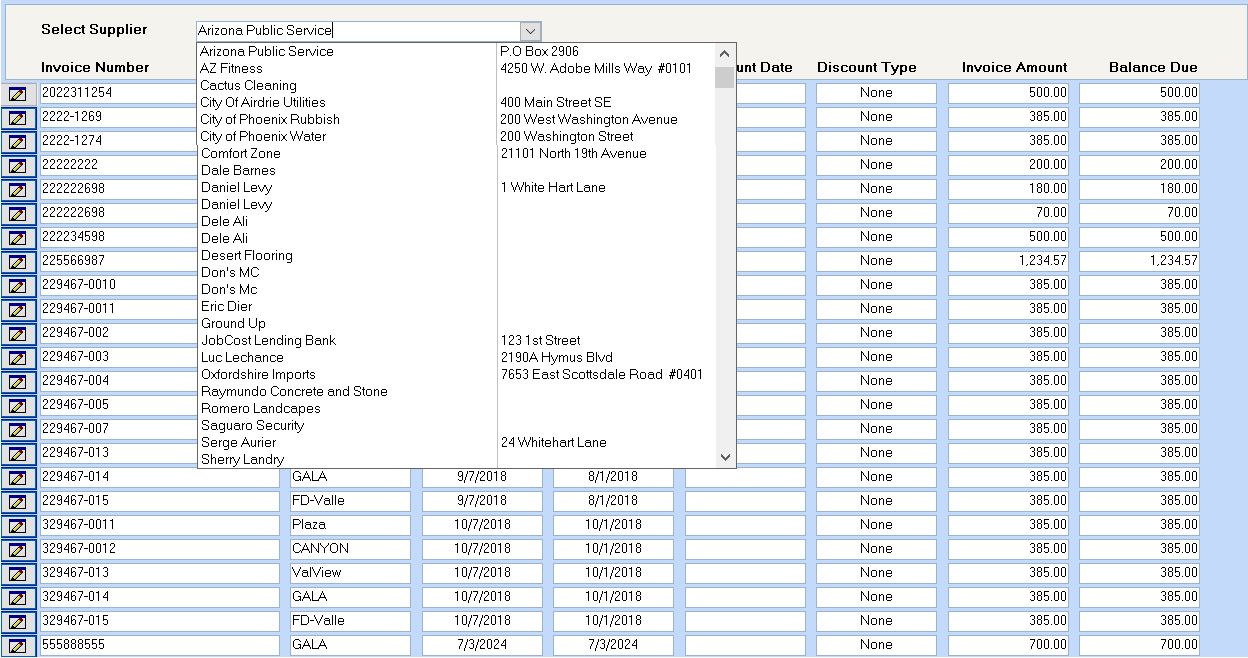
All suppliers will show in the drop down list, but when you select a supplier, only unpaid invoices will then display.
Drill down on the button to the left of the Invoice number to be changed, which will then display the fields, which can be changed.
Click on the box to the left of the supplier’s invoice number to put an X in the box to select this invoice to have the disbursement bank changed. The example above shows two invoices selected. If you select an invoice in error, click in the box again to remove the X.
All fields may be changed except the invoice number and the invoice amount. Note that changing the invoice date will only change the aging of the payables, not the posting date to the General Ledger.
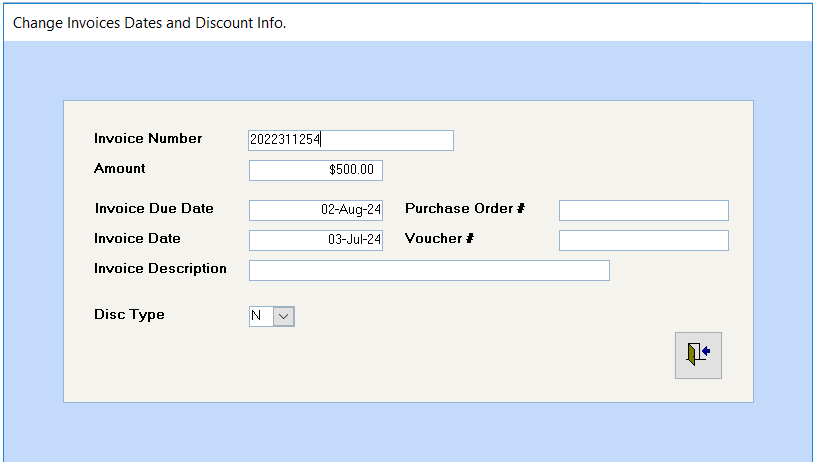
Click on the Close Window to make the changes and then click on the click on the Close Window button on the toolbar to exit the program.