Building - Maintenance History
The Building Maintenance History screen reflects costs tracked by the Maintenance Module, which is licensed separately. The Maintenance Module allows you to track maintenance costs by the maintenance codes for individual units or for the building in general. See Control Codes – Building Maintenance Codes for more information on setting up these maintenance codes.
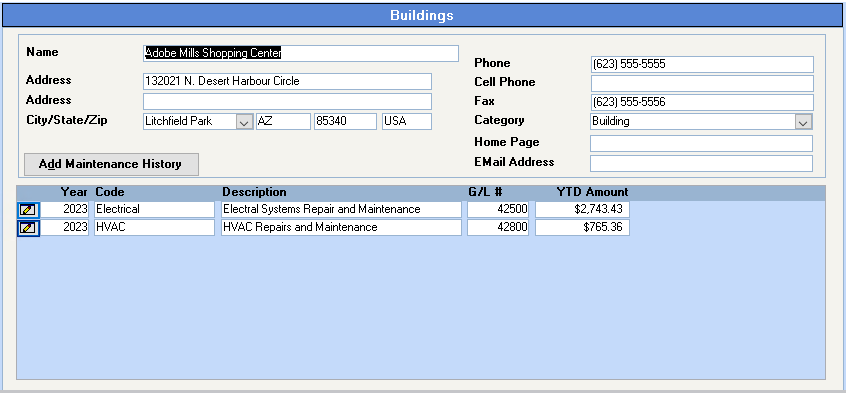
Add Maintenance History
Click on the Add Maintenance History button to add a new maintenance history record. This is not required if you are entering all the maintenance costs from the Supplier Invoices or Handwritten Checks but is required if you want to add additional maintenance history.
To view an existing Maintenance History record, click on the drilldown button to the left of the Year/Code:
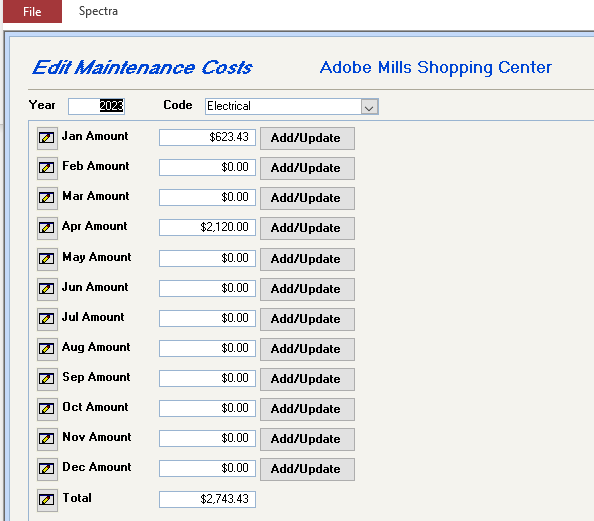
Click on the drill down button to the left of the month to see the details of any amount or click on the Add/Update button to add additional costs to the Maintenance History.