What's New This Release
Before Installing This Upgrade
Make a backup of your Spectra databases before installing this upgrade. If for some reason, the upgrade fails or there is an issue in the new version that prevents you from using the upgrade, having a final backup before the upgrade may allow you to reinstall the previous version and resume working. It is recommended you read the Installation Guide before beginning the installation process or the Upgrade Guide if you are running the upgrade patch.
General Program Changes
Error 438 Resolution
Recent Windows updates disabled ActiveX controls required by Spectra. To address this, we’ve introduced a utility that automatically re-registers these controls, eliminating the need for manual Command Prompt entries.
When launching Spectra, the system will check for disabled ActiveX controls. If detected, users will be prompted to run the re-registration utility.
Office Integration
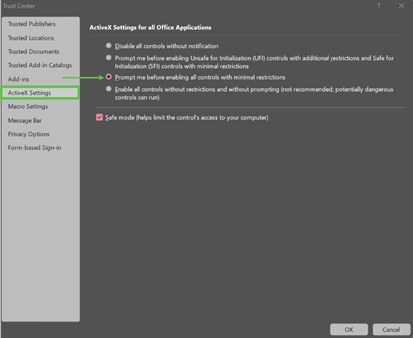
Office updates have also impacted ActiveX controls in Access. Spectra now scans and restores these settings automatically in the Trust Center.
User Interface Enhancements
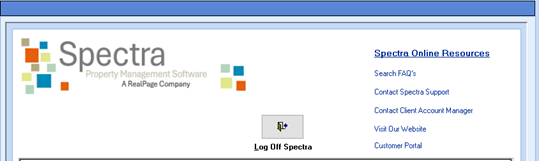
The Splash Screen and Company page have received minor visual updates.
Web Browser Controls
Some users experienced JavaScript errors during the background screening process. We have updated the browser controls to resolve this issue.
Supplier Invoice Module Change - Distribute GST
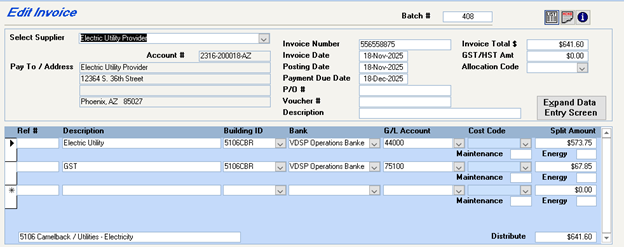
The Distribute GST button has been removed from the Invoice Entry screen. Users must now manually enter GST distribution.
We received multiple reports of invoices appearing duplicated, with GST linked to incorrect buildings. Investigation revealed a strong correlation with the Distribute GST button. Although this issue surfaced only in recent years, the button and invoice process have remained unchanged for decades. To prevent further inconsistencies, we have removed this option as a preventative measure.